Dental File Formats Explained: DICOM, STL, PLY, OBJ, STEP & 3MF
By dentaiware · 2026-05-18
A concise overview of the most important dental file formats used in digital dentistry, from DICOM and STL to PLY, OBJ, STEP and 3MF.
Digital dentistry depends on data.
Every CBCT scan, intraoral scan, crown design, surgical guide, aligner setup or 3D printed model is based on a specific file format. These formats are not just technical details. They determine what information can be captured, shared, planned, designed and manufactured.
For dental clinics, labs, DSOs and software companies, understanding the basics of dental file formats is becoming increasingly important.
The Most Important Dental File Formats
| File format | Type | Main use in dentistry | Key limitation |
|---|---|---|---|
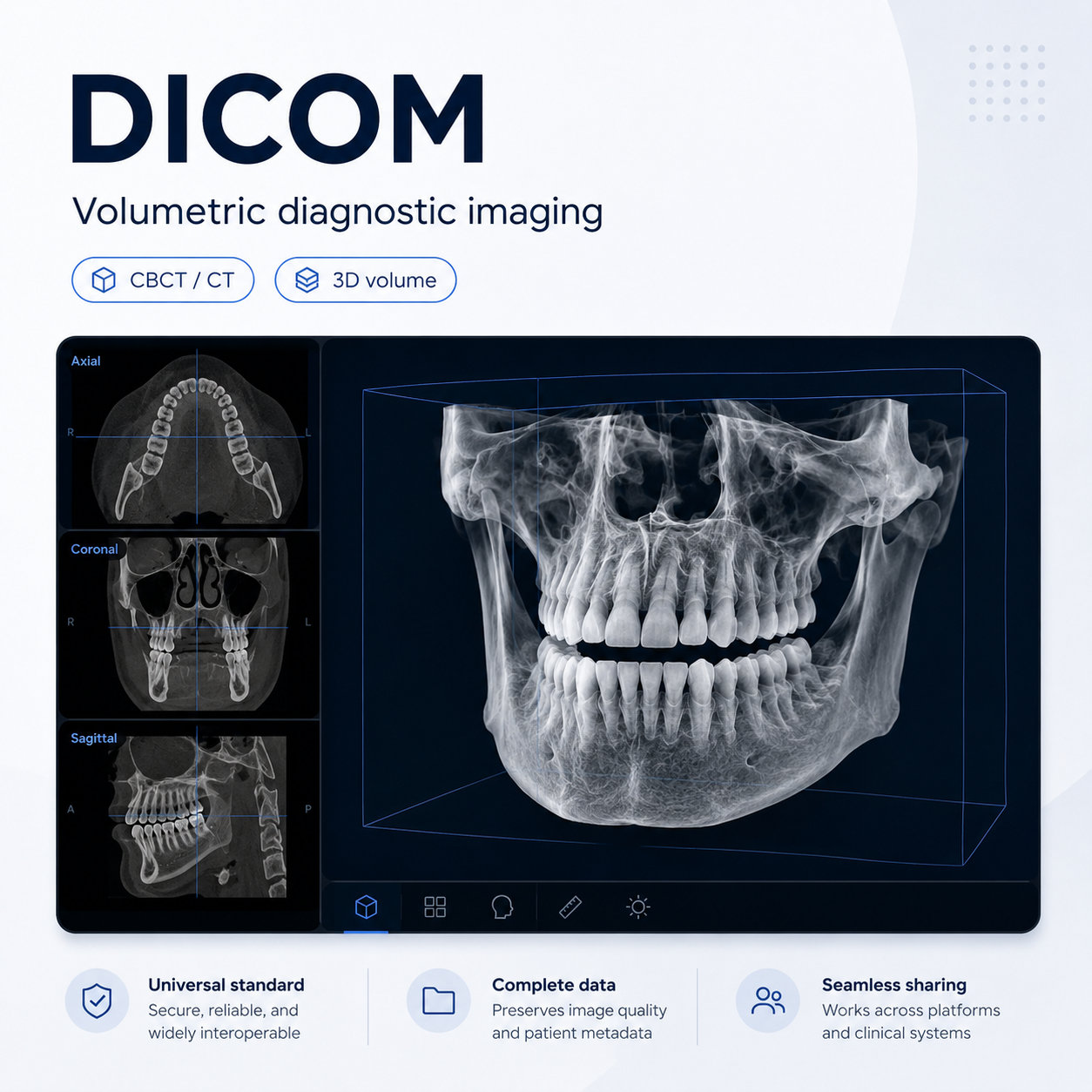
| DICOM | 3D volume | CBCT, CT, diagnostics, implant planning | Large files, sensitive patient data |
| STL | 3D surface mesh | Intraoral scans, CAD/CAM, models, guides, aligners | No native color or rich metadata |
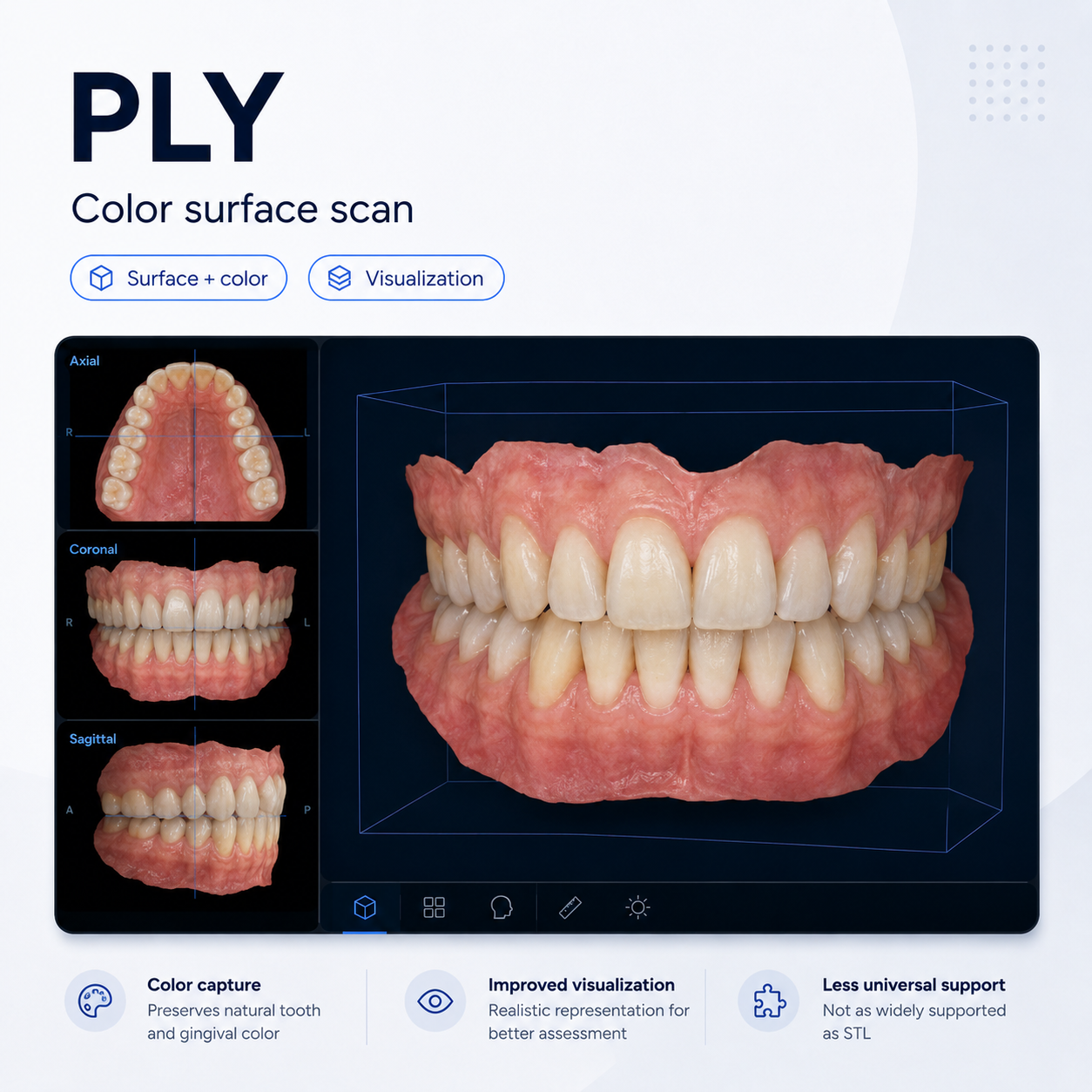
| PLY | 3D surface mesh with color | Color scans, visualization, smile design | Less universal than STL |
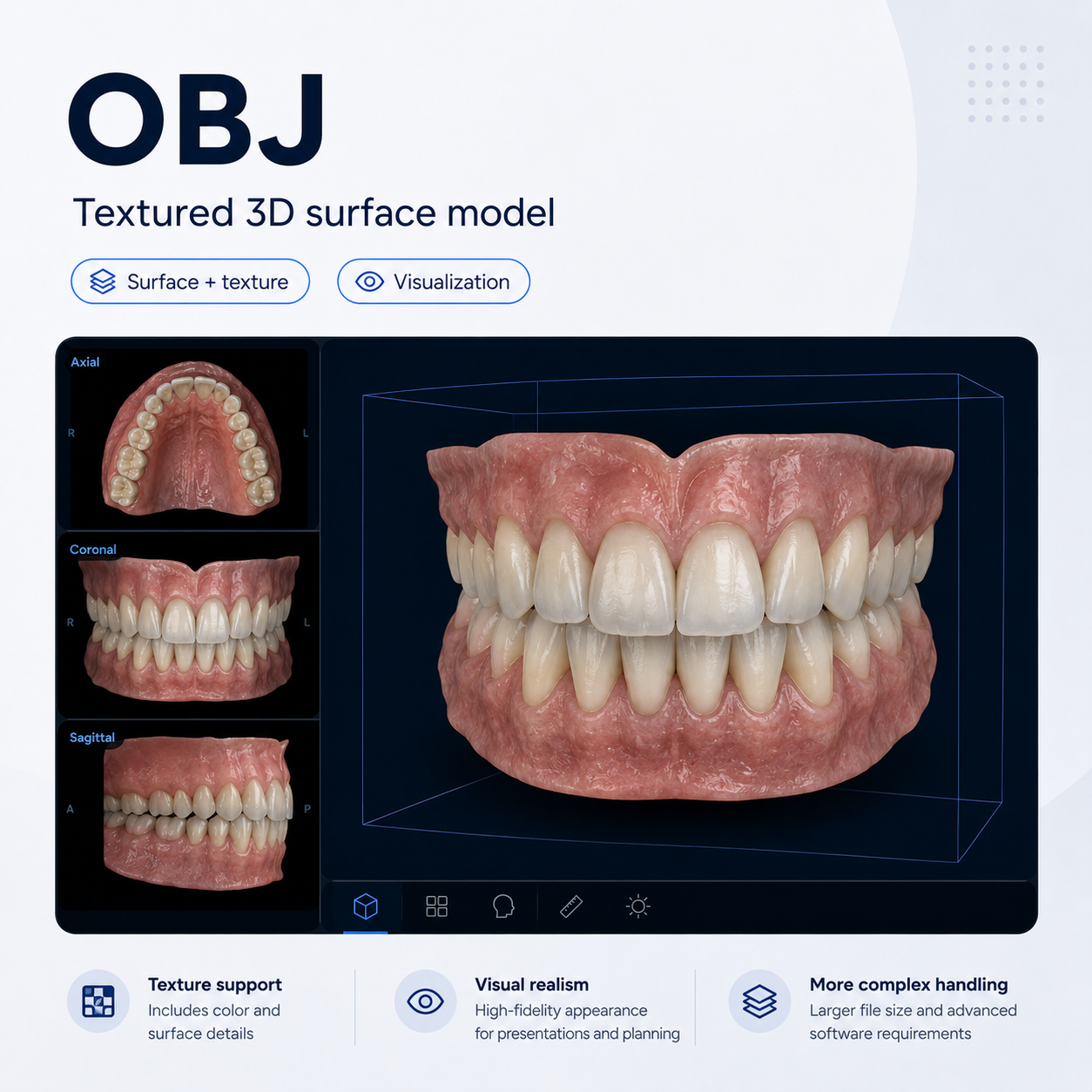
| OBJ | 3D surface mesh with texture | Visualization, esthetic workflows, aligners | More complex file handling |
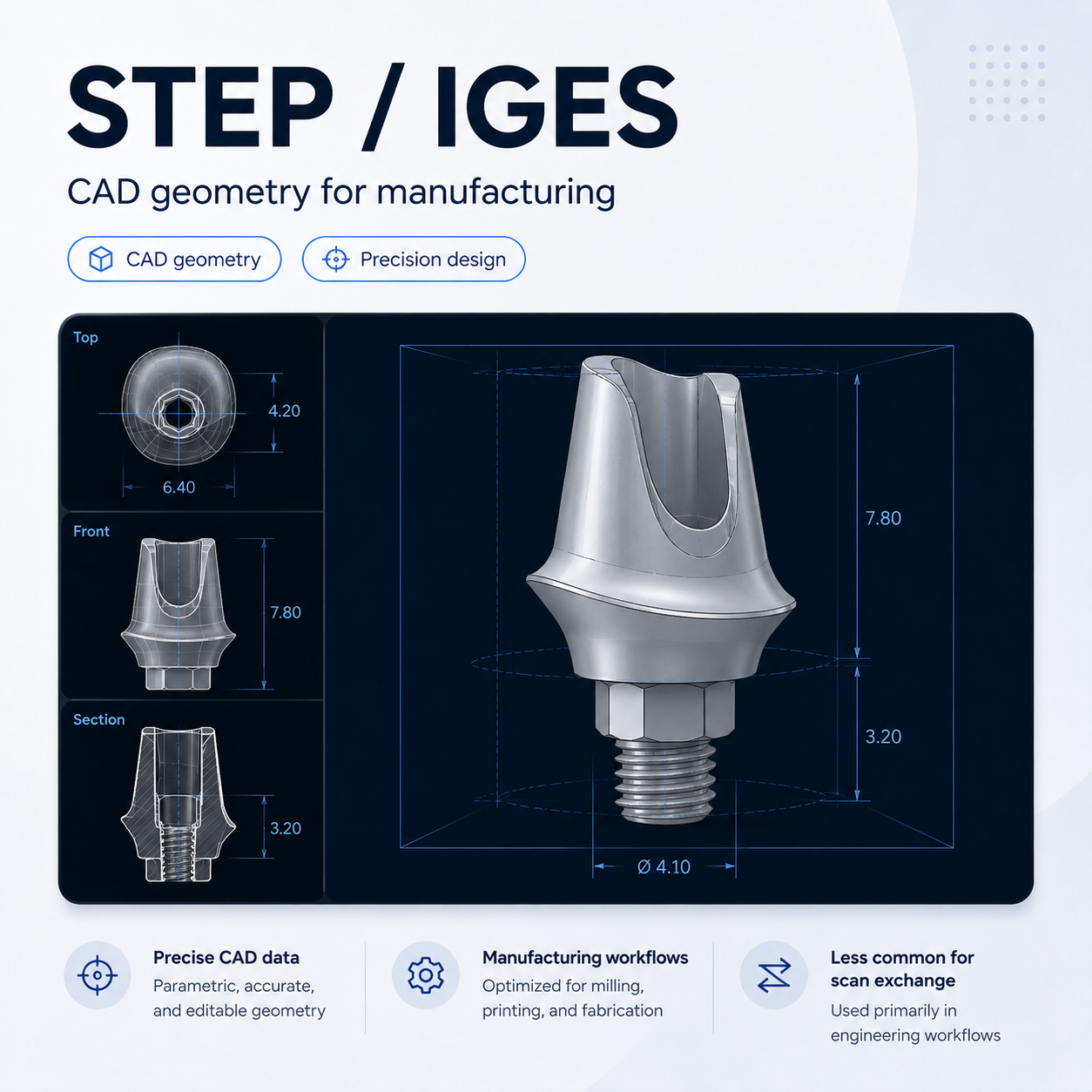
| STEP / IGES | CAD geometry | Precision CAD/CAM and manufacturing workflows | Less common for scan exchange |
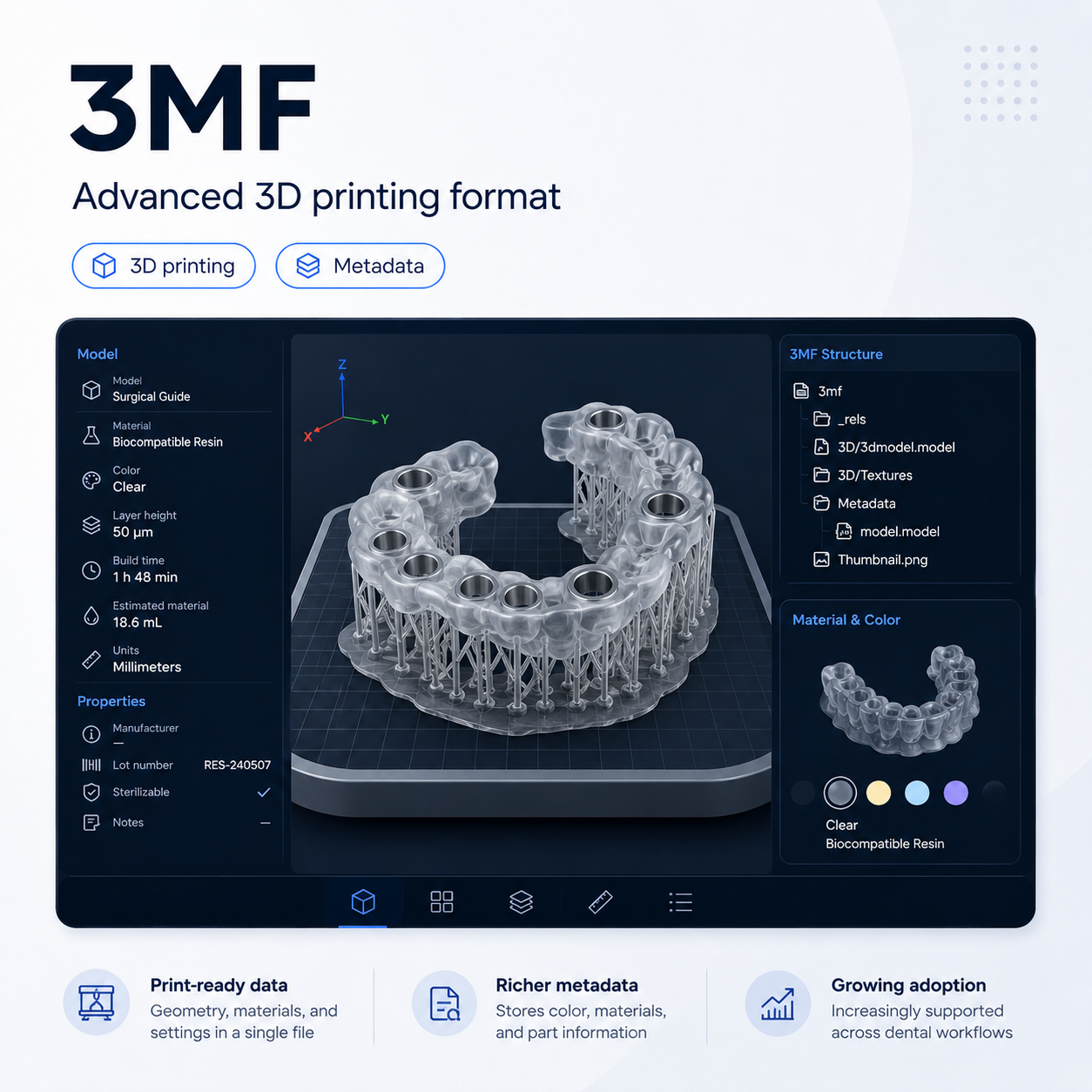
| 3MF | 3D model with metadata | Advanced 3D printing | Not yet as universal as STL |
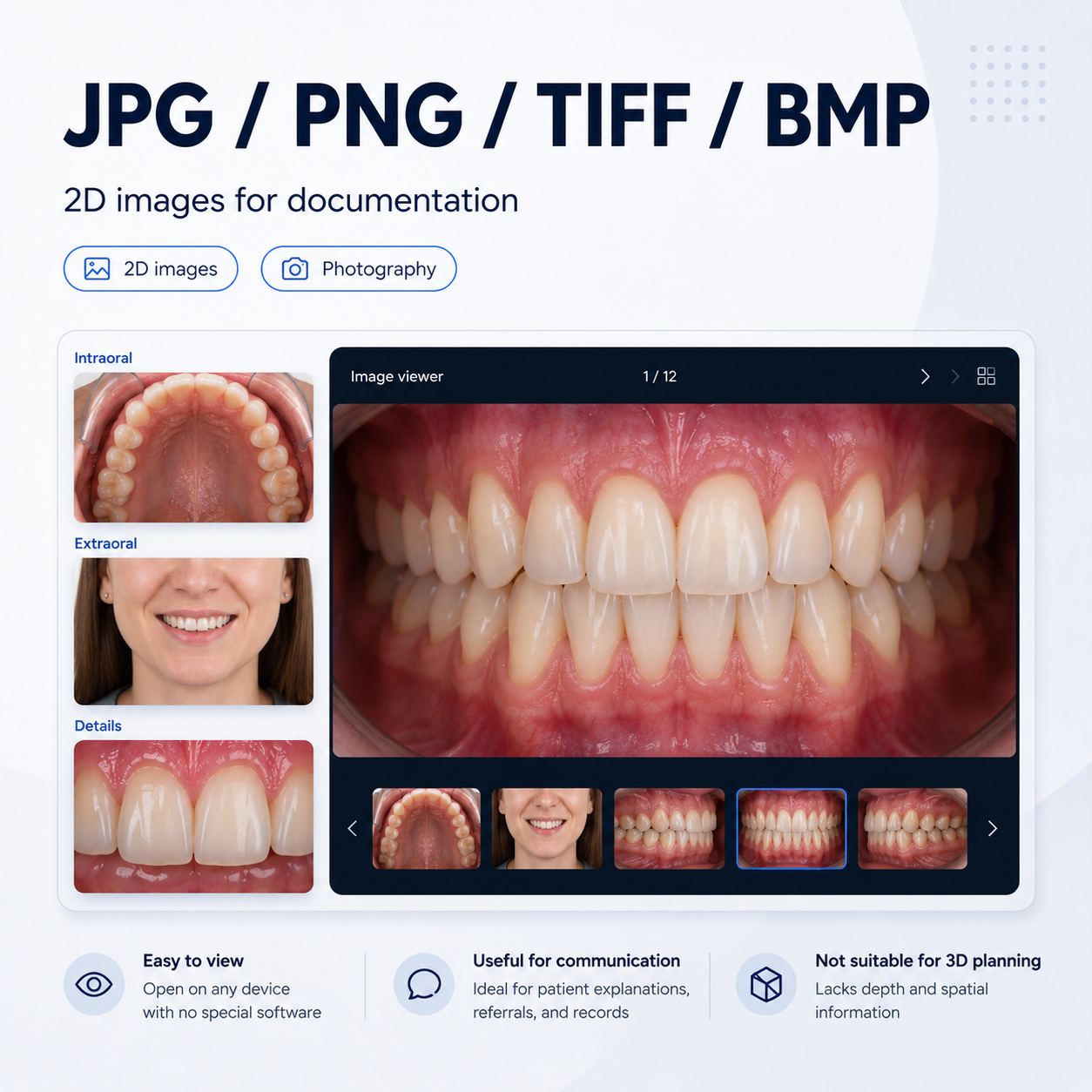
| JPEG / PNG / TIFF / BMP | 2D image | Photography, documentation, image export | Not suitable for 3D planning or manufacturing |
The Key Difference: Volume vs. Surface
The most important distinction is between volumetric data and surface data.
DICOM files are typically generated by CBCT or CT systems. They contain volumetric imaging data and can show internal anatomy such as bone, roots, nerves, sinuses and pathology. This makes DICOM essential for diagnostics, implant planning and anatomical risk assessment.
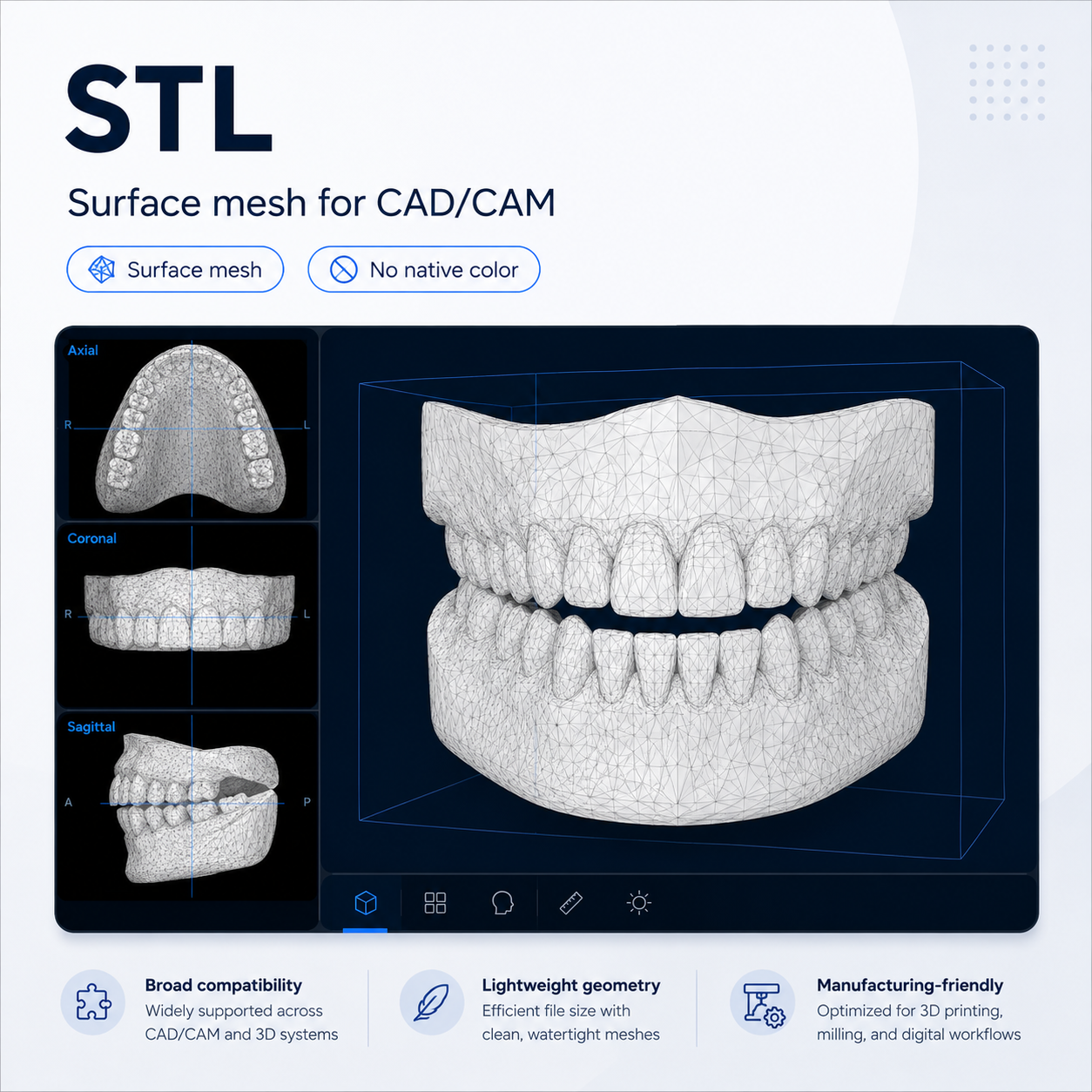
STL, PLY and OBJ files usually come from intraoral scanners, lab scanners or CAD software. They describe the visible surface of teeth, soft tissue, models or restorations. These files are essential for design and manufacturing, but they do not show internal anatomy.
In simple terms:
- DICOM shows what is inside the patient.
- STL, PLY and OBJ show the surface.
- STEP and IGES support CAD-level design and manufacturing exchange.
- 3MF adds more context for 3D printing.
- 2D images support documentation and communication.
This distinction matters because different clinical questions require different types of data. An STL file may show the shape of the teeth very accurately, but it cannot show the mandibular nerve. A DICOM file can show anatomy, but it usually needs to be combined with surface data for prosthetically driven planning.
Where Each Format Fits in the Digital Workflow
Different file formats are used at different stages of the dental workflow.
| Workflow step | Most relevant formats |
|---|---|
| Diagnostics | DICOM, 2D images |
| Implant planning | DICOM, STL, PLY, OBJ |
| Prosthetic design | STL, PLY, OBJ, STEP |
| Smile design | 2D images, PLY, OBJ, STL |
| Surgical guide design | DICOM, STL, 3MF |
| 3D printing | STL, 3MF |
| Milling | STL, STEP |
| Patient communication | 2D images, STL, PLY, OBJ |
A modern implant case often combines several formats. DICOM provides the anatomical foundation. The intraoral scan provides the prosthetic and surface context. CAD and manufacturing files then help move the case into design, guide production or restoration manufacturing.
Why File Formats Matter
File formats directly influence interoperability.
A scanner, imaging system, CAD platform, planning software and printer may all use different formats. If data cannot move cleanly between them, workflows become slower, less predictable and more dependent on manual workarounds.
Common issues include:
- Loss of color during export
- Poor alignment between CBCT and scan data
- Missing metadata
- Closed ecosystems
- File conversion errors
- Limited export options
- Receiving software that cannot fully interpret the file
That is why file format compatibility should be part of every dental software evaluation.
The practical question is not only:
Does this software work?
The better question is:
Can it exchange the right data with the other systems in my workflow?
Practical Takeaway: Understand the Strengths and Limits
Most users do not actively choose file formats every day. The format is usually defined by the scanner, CBCT system, CAD software, planning tool or manufacturing platform.
What matters is understanding what each format can and cannot do.
- DICOM provides diagnostic and anatomical information, but it is not a direct manufacturing file.
- STL is widely compatible and easy to exchange, but it only carries surface geometry and no native color.
- PLY and OBJ add visual detail such as color or texture, but they are not always as universally supported as STL.
- STEP and IGES can carry more precise CAD geometry, but they are less common in everyday scan exchange.
- 3MF can include richer information for 3D printing, but it is not yet as universally adopted in dentistry as STL.
- 2D images remain essential for communication and documentation, but they cannot replace 3D or volumetric data.
That understanding helps clinics, labs and software companies ask better questions when evaluating digital workflows.